 Low Quality Images
Low Quality Image Maker
Drop a picture below and drag the slider until it looks as rough as you need. The file gets smaller, the compression gets visible, and nothing ever leaves your device.
What it actually does to a photo
Three real outputs from this tool, at settings you can reproduce above. Sizes are the actual files — the same picture, before and after.
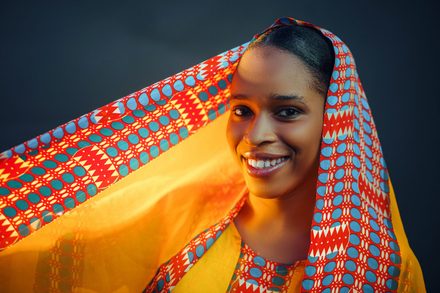
Before · 32 KB 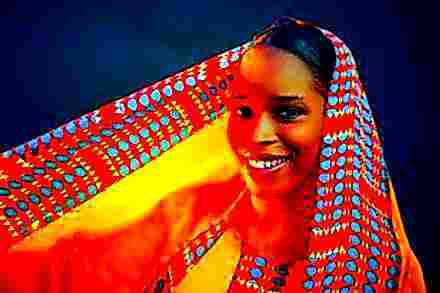
After · 9.6 KB · −70% Deep fried
Saturation at 2.6×, hard edge halos, and six rounds of compression on top.
Source photo by Ab Pixels on Pexels.
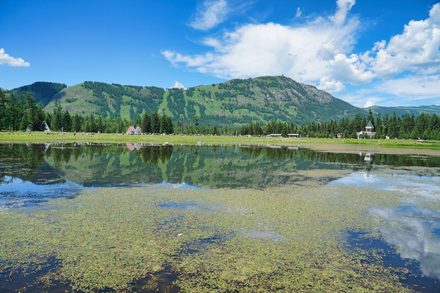
Before · 34 KB 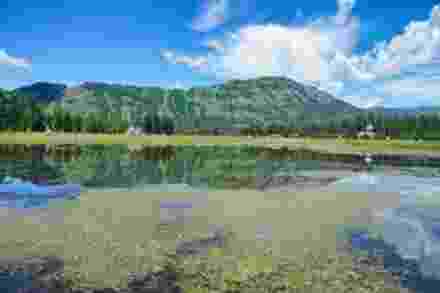
After · 3.0 KB · −91% Low quality
Quality at 7 with resolution pulled back — blocks in the sky, detail smeared away.
Source photo by gang liang on Pexels.
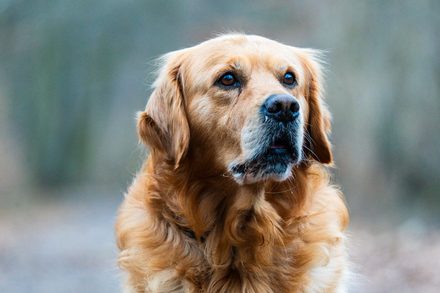
Before · 20 KB 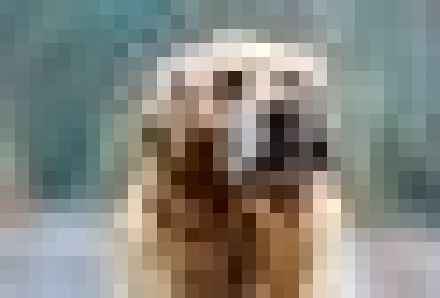
After · 6.6 KB · −67% Pixelated
Pixelate at 14 px — chunky square blocks instead of soft compression mush.
Source photo by Masood Aslami on Pexels.
What is a low quality image?
A low quality image is one that has thrown away detail it can never get back. Almost always that means JPEG compression: the encoder chops the picture into 8×8 blocks, throws away the fine variation inside each block, and stores what is left with fewer bits. Push it far enough and the blocks stop hiding. You start seeing square edges around text, muddy halos near high-contrast lines, and flat patches where a smooth gradient used to be.
Resolution is the second lever. A 4000-pixel-wide photo scaled down to 600 pixels and stretched back up has lost three quarters of its information, and no amount of sharpening invents it again. Stacking both — fewer pixels and harsher compression — is what produces that unmistakable re-saved-a-hundred-times look, the one that reads instantly as an image someone screenshotted off a screenshot.
People want this on purpose more often than you would expect. A file that has to squeeze under an upload limit. A reference picture where sharpness would be distracting. A joke that only lands because the picture looks like it survived six group chats. This tool gives you a single control over how far down that road you go, and shows you the file size at every step so you can stop exactly where you want.
How to make a low quality image
Add your picture
Drag a JPG, PNG, WebP or GIF onto the box above, or click it to browse. The file is read directly by your browser — there is no upload step and no waiting queue.
Drag the quality slider
Move it left for a worse image. The preview and the file size both update as you drag, so you can watch 2.1 MB fall to 40 KB and stop at the point it still looks the way you want.
Download the JPG
Hit download and you get a plain .jpg with the damage baked in. No watermark, no logo, no export limit, and no account to create first.
Why use this image quality reducer
Your image never leaves your device
All the work happens in your browser with the Canvas API. Nothing is posted to a server, so there is nothing to leak, nothing to delete later, and no privacy policy you need to trust.
You see the file size while you drag
Most reducers make you download the result before you learn how big it is. Here the number sits next to the preview and moves with the slider, which turns guesswork into aiming.
Repeated compression, not just one pass
At low settings the image is encoded, decoded and encoded again several times. That is how real degradation happens in the wild, and it produces artefacts a single pass simply cannot reproduce.
Nothing is added to the output
No watermark, no border, no metadata stamp, no resolution cap on the free version — because there is no paid version. What you download is your picture and the damage you asked for.
Low quality image FAQ
What is a low quality image called?
It depends who is asking. Technically it is a heavily compressed or lossy image, and the visible damage has names: blocking for the square patches, banding for the stripes across gradients, ringing for the halos along edges. Informally people say pixelated, grainy, potato quality, or — when the colours are blown out as well — deep fried. All of them describe the same underlying thing: detail that was thrown away and cannot come back.
How do I make an image low quality?
Drop it into the box at the top of this page and drag the quality slider to the left. The preview and the file size update as you drag, so you stop at the point that looks the way you want rather than guessing. Then download. If you want chunky square blocks instead of soft compression mush, open More options and turn up Pixelate.
Which is lower quality, PNG or JPEG?
JPEG, by design. It is lossy: it discards detail your eye is unlikely to miss and gets much smaller files as a result, and pushing it hard is what produces classic low-quality artefacts. PNG is lossless, so it never introduces damage, but it also never gets as small on photographs. This tool can output either, plus WebP — JPEG for the recognisable degraded look, PNG when you need to keep a transparent background.
Can I turn a low quality image back into a high quality one?
Not really. Lossy compression discards information rather than hiding it, so there is nothing to restore. AI upscalers can invent plausible detail and often look impressive, but they are guessing — the result is a new picture that resembles the original, not a recovery of it. Keep your original file if you might need it.
Are my images uploaded anywhere?
No. The picture is decoded and processed by your own browser and the result is generated locally. You can confirm it yourself: open your browser's network tab, run an image through, and you will see no request carrying the file. Turning off your internet after the page loads also works fine.
Why did my file get bigger instead of smaller?
Three causes. PNG output is lossless, so it will usually be larger than your JPEG original — switch to JPG or WebP if size is what matters. If your source was a screenshot or flat artwork, PNG was already the efficient format for it. And deep fry mode adds noise and sharpening, which create fine detail that the encoder has to spend bits on; drag the slider further down and it comes back.
Related tools
Ready to ruin a picture?
One slider, an instant preview, and a download button. No sign up, no upload, no watermark.
Pick an image